
Share your Terminal with Multiple Cursors
2021-12-22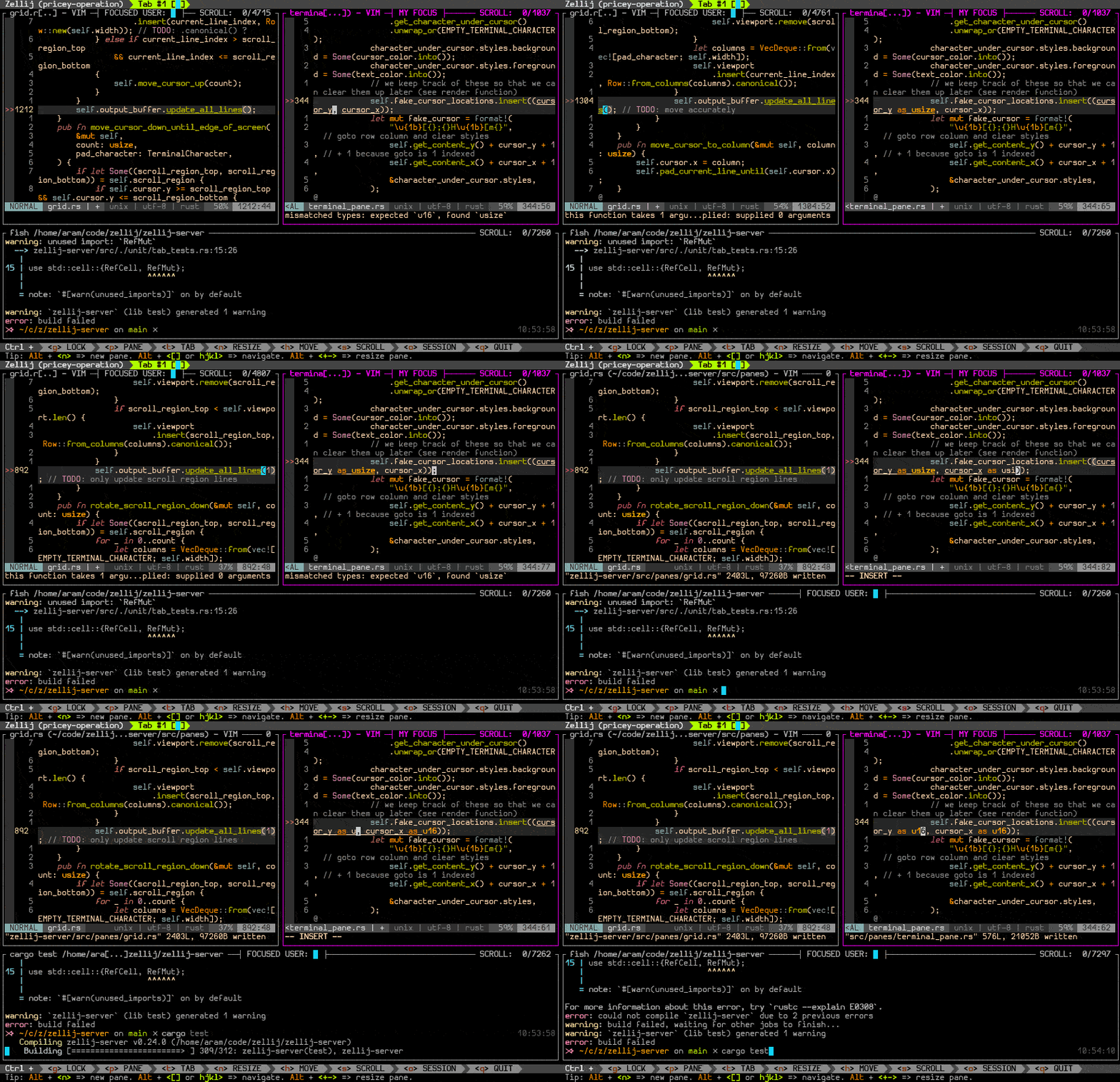
We just released Zellij 0.23.0, which adds collaboration features to our terminal multiplexer.
This solution allows multiple users to be attached to the same Zellij session and each have their own cursor. The cursors appear in different colors, giving a Google-docs like experience in the terminal and allowing users to be focused not only on different tabs, but on different panes in the same tab. That way they can see each other type in real time.
We feel this is a great solution to pair program in the terminal or to receive outside assistance on local environment problems.
How can I try it out?
- Install the latest version
- Start it up and assign your session a name:
zellij attach --create my-cool-session(you can also just start it up normally and be assigned a random session name). - Open a new terminal window and connect to your existing session:
zellij attach my-cool-session - Open a new pane with
ctrl-p+nand see one different colored cursor for each window. - You can also open a new tab with
ctrl-t+nand see an indication that the cursor is focused on that tab.
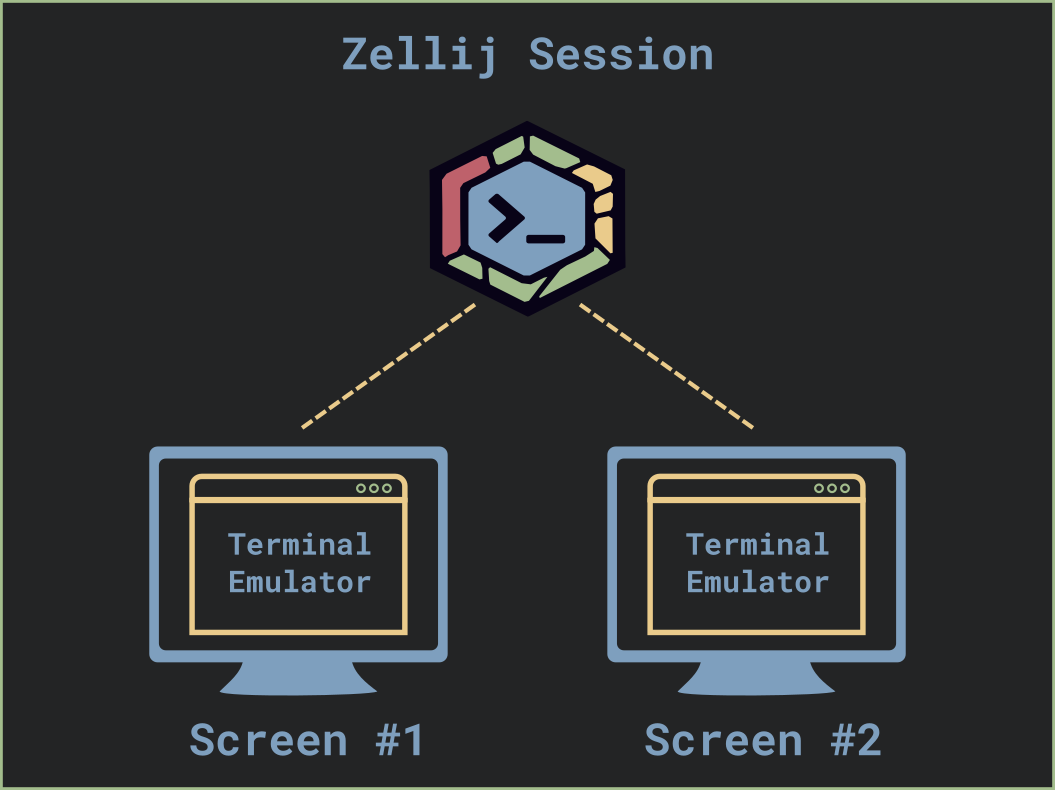
A fun use-case for this is to have several terminal windows connected to the same Zellij session, one on each screen, focused on different tabs. That way you can natively switch between the contents of each screen without having to move windows around by switching your tab focus.
How can I try it out with a friend?
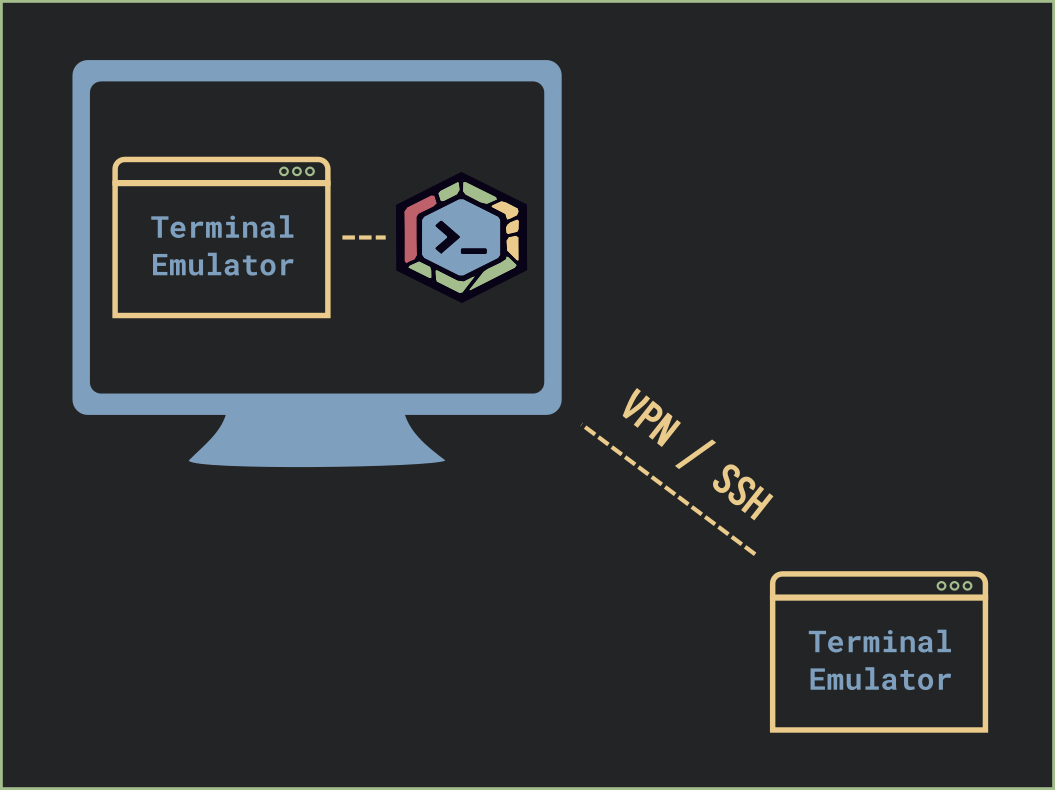
In order to do this, you’ll need your friend to ssh into your computer and attach to your existing session. If you are not in the same physical location (and/or on the same network), you’ll unfortunately have to do some extra work:
The safest way to do it is to use some sort of VPN service (there are some free options out there). Or if you’d like to try it out and are feeling brave, you can use ngrok to expose your ssh server to the world-wide-web. Be careful with this please.
Is there an easier way to connect to a remote session?
Not yet, but we’re working on it!
Right now we’re in the process of seeking funds in order to start a free service that would allow users to receive a shareable and secure URL from within Zellij and just share it with their friends, giving them permission and moderating who is connected.
If you’re as excited about this as we are, you can help out by registering for early access: https://www.devsession.is
Update (2026): the two open questions above have since been answered, so this post is left as written with the following corrections.
Easier remote session access did arrive, in Zellij itself. Version 0.43.0 added a built-in web client, which serves sessions from a web server bundled with Zellij, and 0.44.0 added remote session attachment over HTTPS along with read-only sharing tokens. The ngrok and VPN workarounds described above are no longer necessary. None of it requires a third-party service.
The devsession project linked at the end of this post never launched. The idea behind it eventually grew into Zellij.online, a hosted session sharing service run by the Zellij maintainers. Unlike what was described in 2021, it is a commercial service with a free tier rather than a wholly free one, and it is currently in beta. Zellij itself remains free and open source, and its own web client remains fully self-hostable. That relationship is explained in full here.