
Use Zellij as your terminal - be productive in under 5 minutes.
2026-11-11Zellij is both a terminal multiplexer and a terminal. It can run just as well inside another terminal or as its own separate application. This screencast takes you from downloading the Zellij executable to being productive with the terminal in under five minutes.
What we’ll cover
- Installation
- The Tray Icon - managing sessions from your desktop
- The Inbox - receiving notifications and attention when commands need you
- Do you like Zellij? ❤️
Installation
We’ll start by downloading the executable from the Zellij main page: https://zellij.dev. Choose your operating system, the download script will do the rest. Once you’ve downloaded it, double-click it in your GUI environment. Zellij will open and offer to install itself on your system:
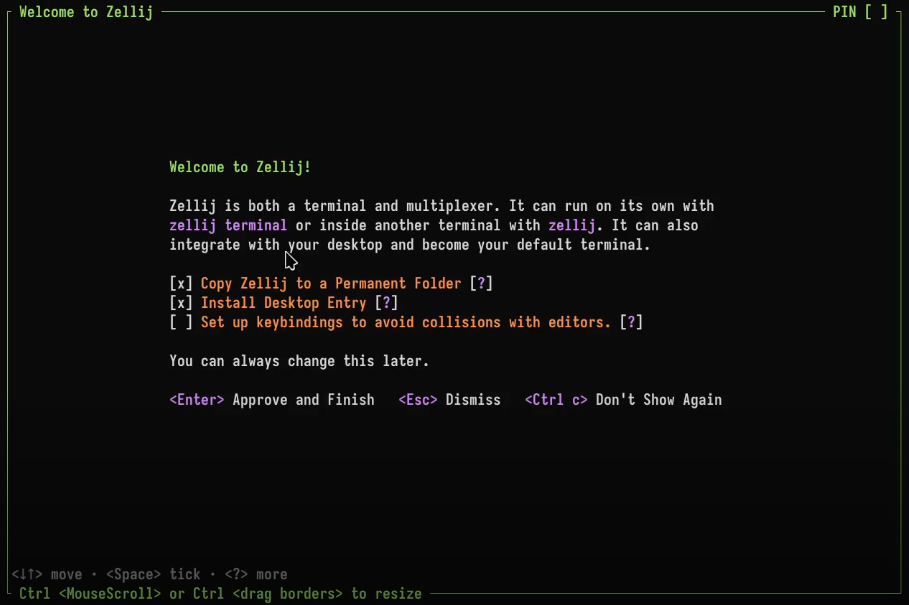
Leave the defaults on and press Enter. Zellij will install itself to your desktop and place itself in a permanent folder.
If you’d like to also set up keybindings to avoid collisions with other programs (for example code editors) check out the colliding keybindings tutorial.
The Tray Icon - managing sessions from your desktop
Close the window and then look for the Zellij tray icon on your desktop. It should look like this:

Left-clicking it will open the session-manager, showing us an entry for the window we just closed:
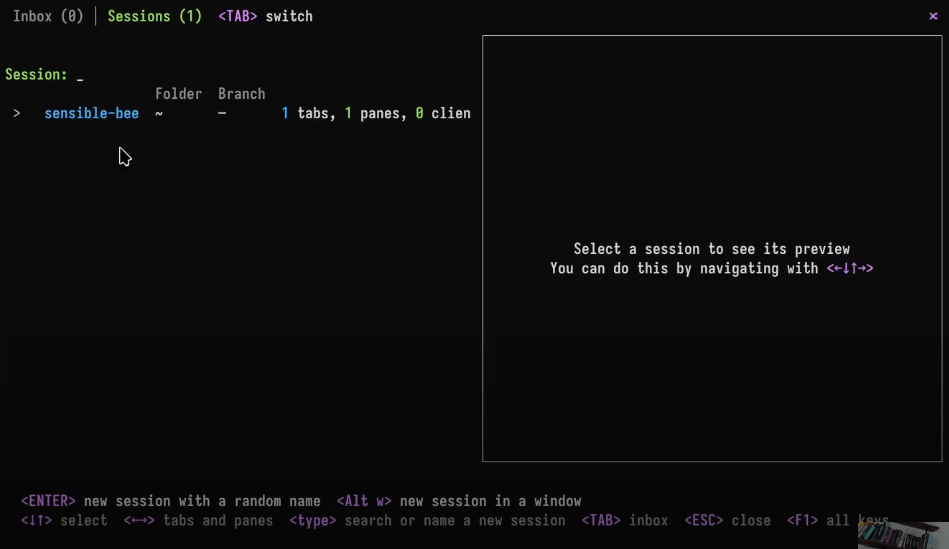
Click it once (or navigate to it with the keyboard): a preview of the session we just closed will be shown. Click it again and a new window will be open, attached to the still-running session.
The Inbox - receiving notifications and attention when commands need you
In this session, run a long-running command (for example sleep 15 && echo "hi there!"). Open a new pane with Alt n then run another long running command that will fail (for example sleep 15 && exit 2).
Close this window, wait for the commands to finish. Notice the tray icon:

Click on it, and see something like this screen:
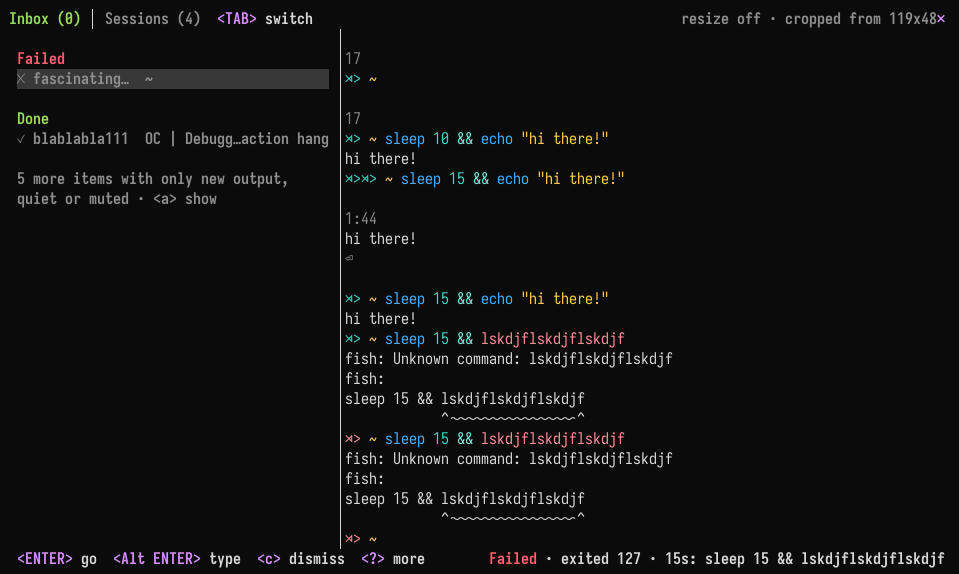
This is the inbox. It manages notifications and attention. It lets you know when a long running command has finished, as well as allowing applications (for example, coding agents) to use a special protocol to let you know when they need you. Most such applications should work out of the box (make sure to install a recent version). For more info, please see the inbox page.
Do you like Zellij? ❤️
Me too. So much so that I spend 100% of my time developing and maintaining it and have no other income.
Zellij will always be free and open-source. Zellij will never contain ads or collect your data.
If the tool gives you value and you are able, please consider a recurring monthly donation of 5-10$ to help me pay my bills. There are Zellij stickers in it for you!