
Zellij 0.44.0: Remote Sessions, Windows Support, CLI Automation
2026-03-23Zellij 0.44.0 has just been released! Check it out!
Some highlights:
- Native Windows Support
- Layout Manager
- Terminal-to-Terminal Attach over HTTPS
- Read-Only Session Sharing
- CLI Automation
- Resize Panes with the Mouse
- Click-to-Open File Paths
- New Session Manager UI
- New Rust APIs
- Infrastructure Overhaul
- Please Support the Zellij Developer ❤️
Native Windows Support
Zellij now runs natively on Windows(!!). Achieved through a major community code contribution, at long last Zellij is truly multi-platform. Allowing windows users to enjoy the same session management, workspace automation, plugin ecosystem and multiplayer capabilities that have been available on Linux and macOS since the inception of the tool. We are truly excited.
Special thanks to divens for the implementation and hard work.
Layout Manager
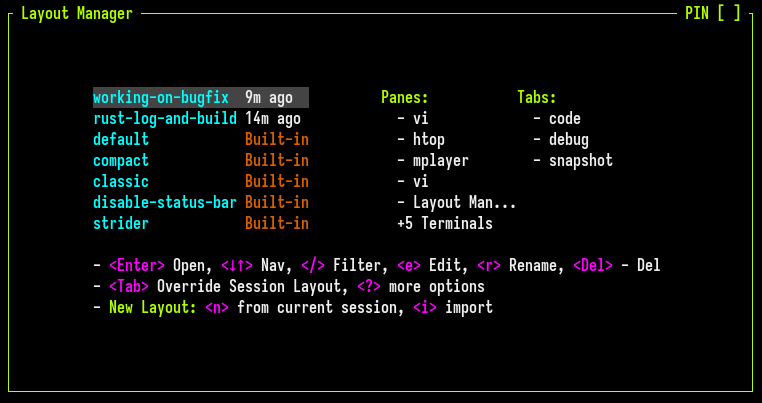
layout-manager interface, allowing users to:
- Open their favorite layouts in a new tab or tabs
- Apply their layouts to the current tab (optionally keeping panes that do not match the layout or closing them outright)
- Create new layouts on the fly by recording the current tab state
To open the layout manager: Ctrl o + l
Terminal-to-Terminal Attach over HTTPS
Building on the web server introduced in 0.43.0, Zellij now allows attaching to remote sessions over HTTPS directly from the terminal. No browser needed. This is done through a built-in web client that connects to a remote Zellij session running the web server just like a browser would - same authentication, same tokens.
zellij attach https://example.com/my-cool-session
Read-Only Session Sharing
A much requested feature since the introduction of the web server has been the ability to connect to sessions read-only, without being able to affect them through keyboard/mouse input or window resizes. In this release we introduce this ability both through the terminal (with zellij watch <session-name>) and - more interestingly - through the browser, using read-only authentication tokens. These tokens can be created from the CLI with zellij web --create-read-only-token or through the share plugin (Ctrl o + s).
We think this can create interesting opportunities to use Zellij for teaching, demonstrations, screencasting or streaming. We look forward to seeing what the community comes up with.
CLI Automation
This release dramatically expands what can be accomplished from the command line, enabling the creation of powerful workspace automations.
Conditionally Blocking Command Panes
The zellij run command has allowed users to run commands in new panes from the CLI for a while. This release adds the --blocking, --block-until-exit-success and --block-until-exit-failure flags. Using these we can conditionally block the CLI before moving to the next command.
We can use this for example to perform simple and powerful control flows such as zellij run --block-until-exit-success -- cargo test && zellij run --blocking -- cargo build --release && tput bel: building our release asset only after the tests have passed, allowing Human intervention and re-run of the tests as part of a dashboard experience. Finally, sending a terminal bell notification once the whole process is done.
New and Improved CLI Actions
zellij action list-panes- List all panes in the current session, including their IDs and metadata such as title, running command, coordinates, etc.zellij action send-keys- Send Human readable keystrokes to other panes (eg.zellij action send-keys --pane-id 1 "Ctrl c" "Enter")zellij action dump-screen- Dump the viewport and optionally scrollback of any pane in any session to the CLI, optionally with colors and stylingzellij subscribe- Subscribe to pane viewport and scrollback updates in real-time from the CLI, enabling external tools to react to terminal content changes
Improved Ergonomics
- New
detachandswitch-sessionCLI commands - Atomically show or hide floating panes (rather than just toggling)
Pane/Tab ID Return Values
CLI and plugin methods that create panes and tabs now return the IDs of the newly created resources, allowing users to use these IDs for further commands instead of finding them through queries.
For more information about controlling Zellij from the command line: https://zellij.dev/documentation/controlling-zellij-through-cli.html
Resize Panes with the Mouse
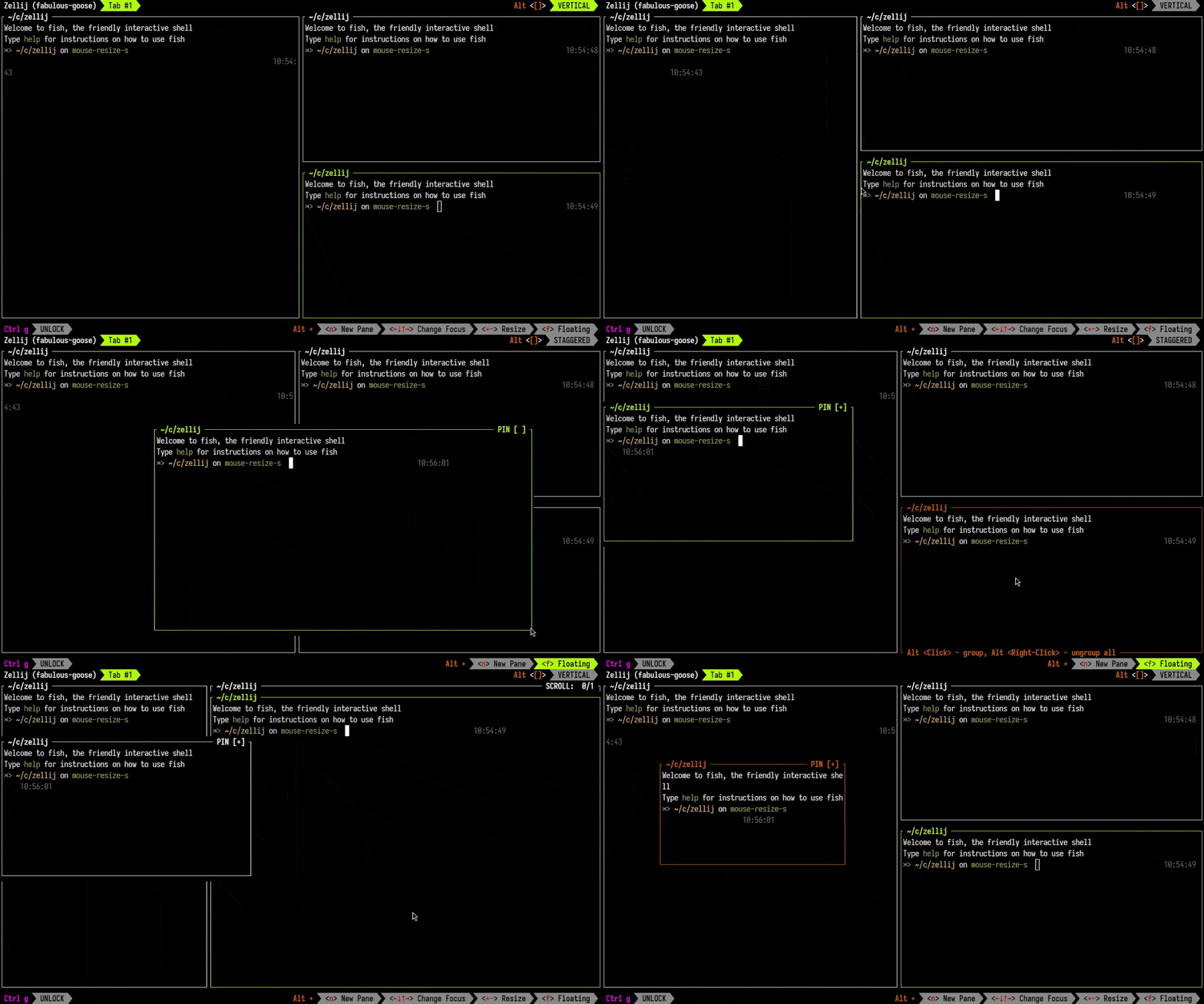
Ctrl + scrollup/scrolldown.
Click-to-Open File Paths
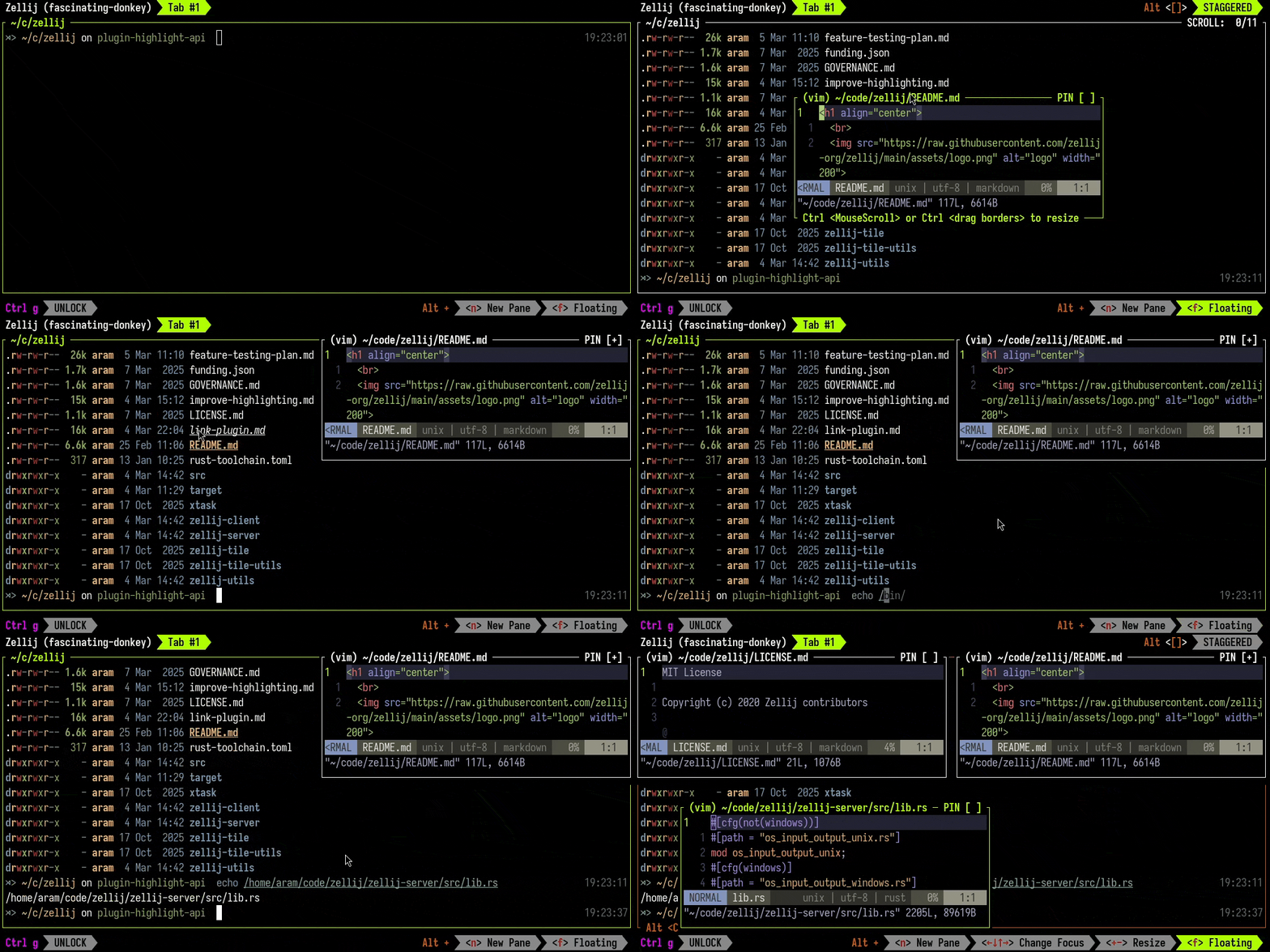
Plugins can also highlight arbitrary text in the viewport, opening possibilities for custom link handlers, code annotations and interactive terminal overlays.
New Session Manager UI
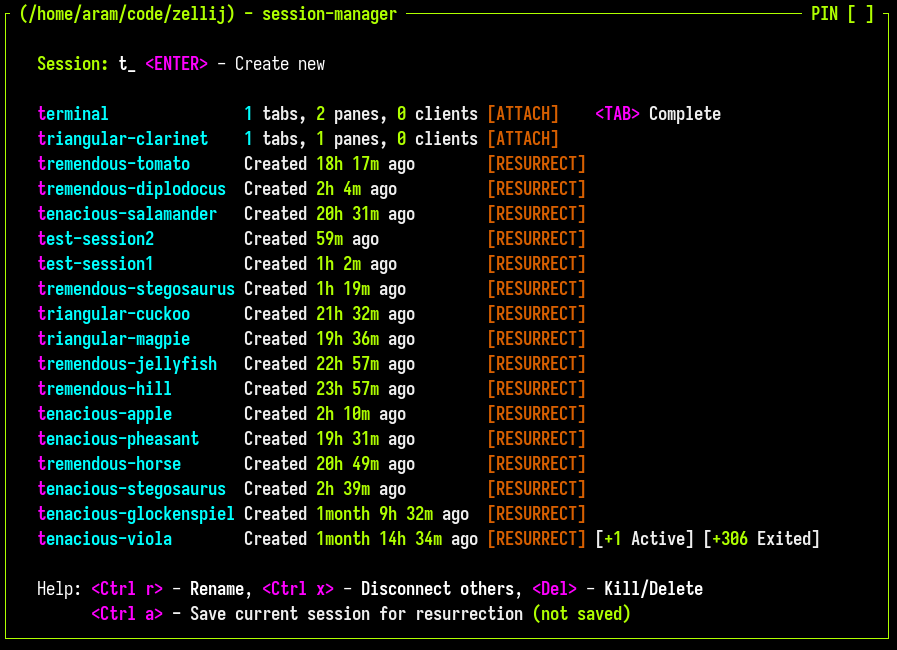
To start the session manager: Ctrl o + w
To start a new session with the session manager as a welcome screen: zellij -l welcome
For more information about the session manager, see: https://zellij.dev/tutorials/session-management/
New Rust APIs
It is Zellij development policy to create new UI interfaces as built-in plugins. This means that the new APIs created for all the above interfaces are now also available for third-party plugins (gated behind relevant permissions). These capabilities include:
- Read pane scrollback - Plugins can now read the scrollback buffer of other panes, optionally including the ANSI colors and styling
- Configuration propagation - Changes to plugin configuration are now propagated to running plugins
- Query environment variables - Plugins can query env vars set upon session creation
- Highlight viewport text - Plugins can change the style of arbitrary text in any pane’s viewport, optionally on mouse hover, optionally receiving an event when the user
Alt+Clicks them - Change pane colors - Set foreground/background colors of panes
- Explicit session save - Trigger a session save for resurrection without waiting for the automatic interval
For more info, see: https://zellij.dev/documentation/plugin-api.html
Infrastructure Overhaul
Under the hood, this release includes significant infrastructure changes:
- WASM runtime migration: The plugin runtime has been migrated from
wasmtimetowasmi, reducing binary size and improving portability - Async runtime migration: the duelling async runtimes have been reduced to a single
tokioruntime, reducing dependency count and resource utilization
Forwards Compatibility
Due to the lack of a client-server contract, Zellij sessions have never been backwards compatible. Each version upgrade would orphan existing sessions, forcing users to manually kill them and recreate them. While this is unfortunately still the case with this version, this will be the last time.
A new client/server contract has been created and enforced with protocol buffers. Future versions will be able to connect to existing sessions. The only caveat being that new features won’t work with old sessions and will silently fail.
Additional Improvements
Beyond the above features, this release includes a large number of bug fixes and quality-of-life improvements:
- Borderless panes - open specific panes as borderless or toggle border status at runtime
- Terminal BEL forwarding from unfocused tabs and panes with visual indication
- Configurable
focus_follows_mouseandmouse_click_through - Line-wrapping/resize performance improvements
- Better STDIN segmentation with latency (eg. over SSH)
- Mobile web client viewport sizing and touch scrolling improvements
- Numerous fixes for session resurrection, floating pane behavior, cursor handling, grid rendering and more
For the full list of changes, see the CHANGELOG.
Please Support the Zellij Developer ❤️
Zellij is a labor of love and is provided free and open-source to anyone who wishes to use it.
Zellij will never display ads or collect your data.
To help sustain the project, please consider a recurring donation so that the developer can pay their bills: https://github.com/sponsors/imsnif