
Zellij 0.46: built-in terminal, attention inbox, session previews
2026-11-11Zellij 0.46.0 has just been released! Check it out!
Some highlights:
- Built-in Terminal (!!)
- Attention Inbox
- Session Previews
- Settings Screen
- Right-Click Menu and Improved Mouse Handling
- Theme Editor
- Distributions (run Zellij as a library)
- Horizontal Stacks
- Allow (temporarily) Hiding the UI
- What’s next?
- Please Support the Zellij Developer ❤️
Built-in Terminal
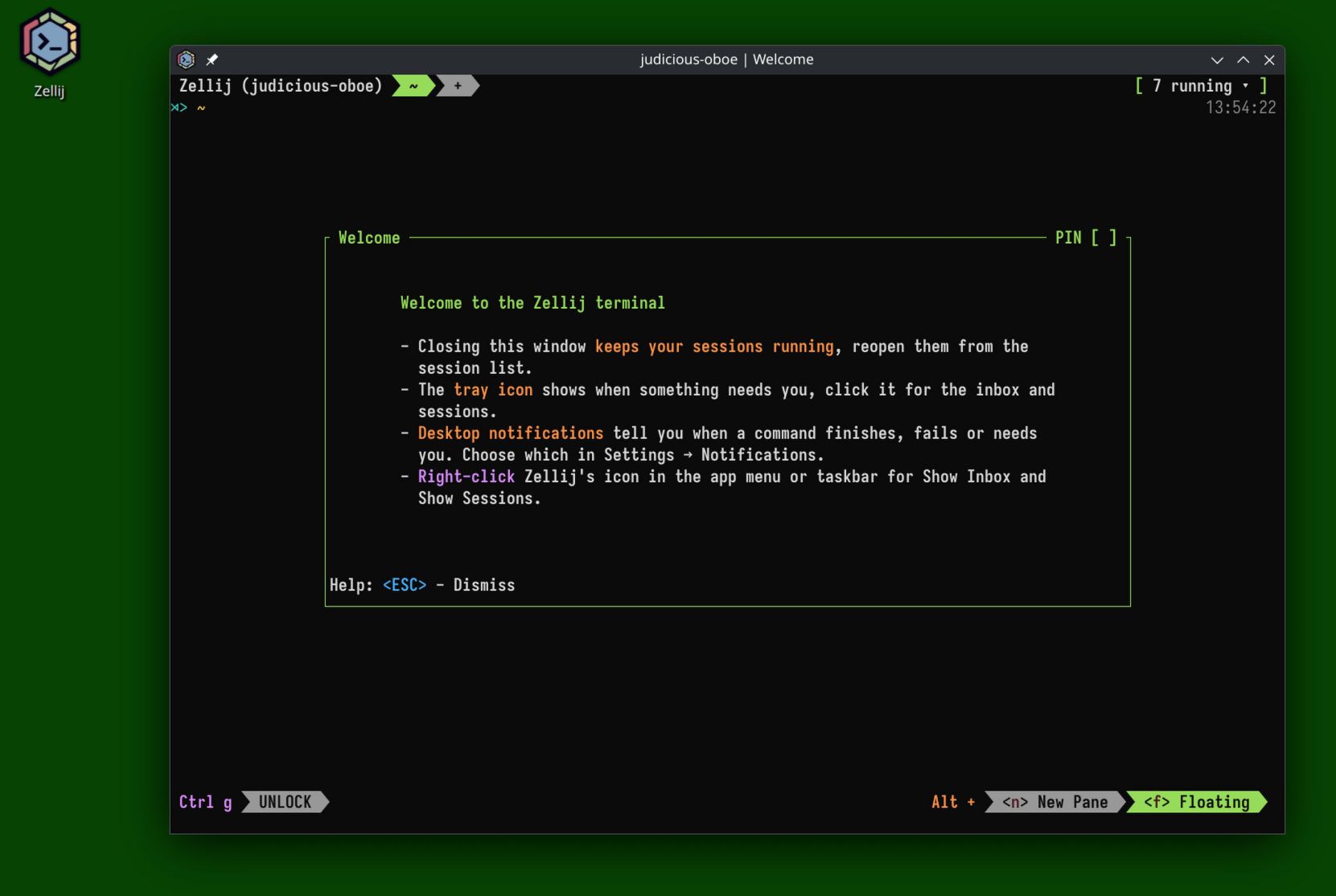
Zellij has always been and will always be a terminal multiplexer first. Now, it also includes a built-in terminal for those who want a more complete experience.
The built-in terminal can be run directly on the machine that runs zellij with zellij terminal. It uses Zellij as its UI, providing the same experience one would get if running Zellij using an external terminal. It intentionally does not have GUI tabs or splits, as I believe textual interfaces are the natural choice for those who love the terminal.
To emphasize: absolutely nothing changes for those who want to keep running Zellij as a multiplexer inside another terminal or on a remote server. Zellij is a multiplexer first and always will be.
Performance
In developing the terminal, it was important to me to optimize performance on two fronts: input latency (typing) and textual scrolling. While not the items traditionally optimized in other desktop terminal emulators, I believe they both contribute to the best terminal user experience. Try out the terminal by typing into it, catting large files and see how it feels.
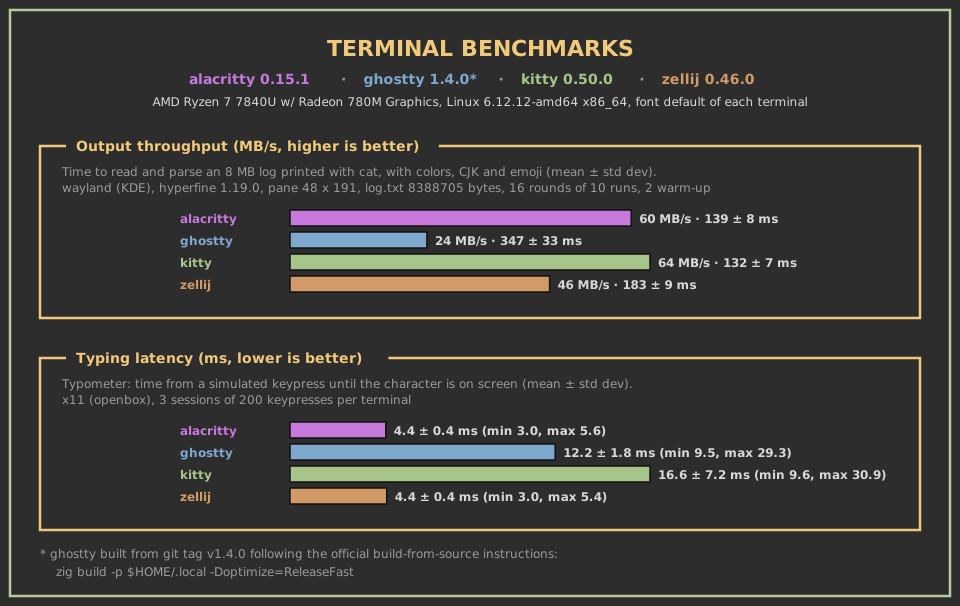
If you’d like to learn more about the methodology used in these measurements and learn way too much about terminal benchmarking, please see the dedicated repo
Desktop Integration
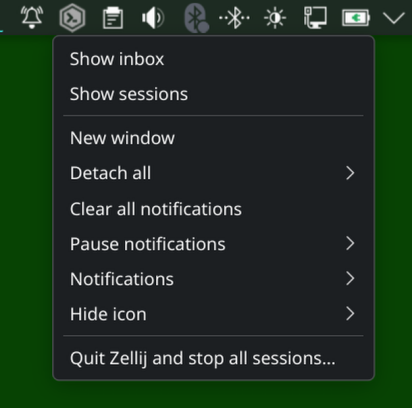
Since by its very nature Zellij manages multiple sessions, I felt its terminal called for deeper desktop integration than traditionally offered by terminal emulators. The terminal comes with a tray icon in all 3 natively supported platforms (linux, mac, windows), allowing users to get an overview of their running sessions, manage their notifications and attention and even see session previews - all in one place.
On left-click, the tray icon opens the session-manager and attention inbox (see below), rendered just as they would be inside a Zellij session: as a textual interface. Regardless of which platform you’re on, you’ll get the same experience.
Want to learn more? Find out how to use Zellij as your main terminal and become productive in under 5 minutes.
Attention Inbox
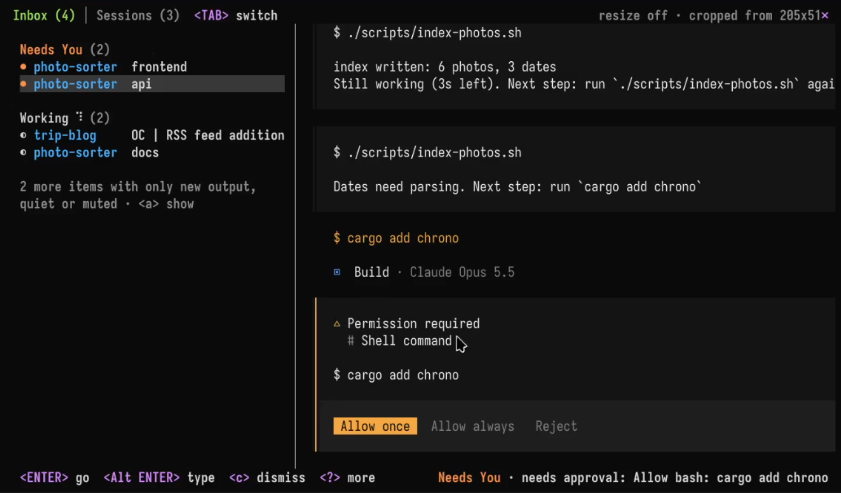
The Inbox is also integrated with the new terminal emulator, meaning that you can see a color-coded pill count of relevant programs that need your attention.
Want to learn more? Find out how to use Zellij to manage multiple coding agents across sessions.
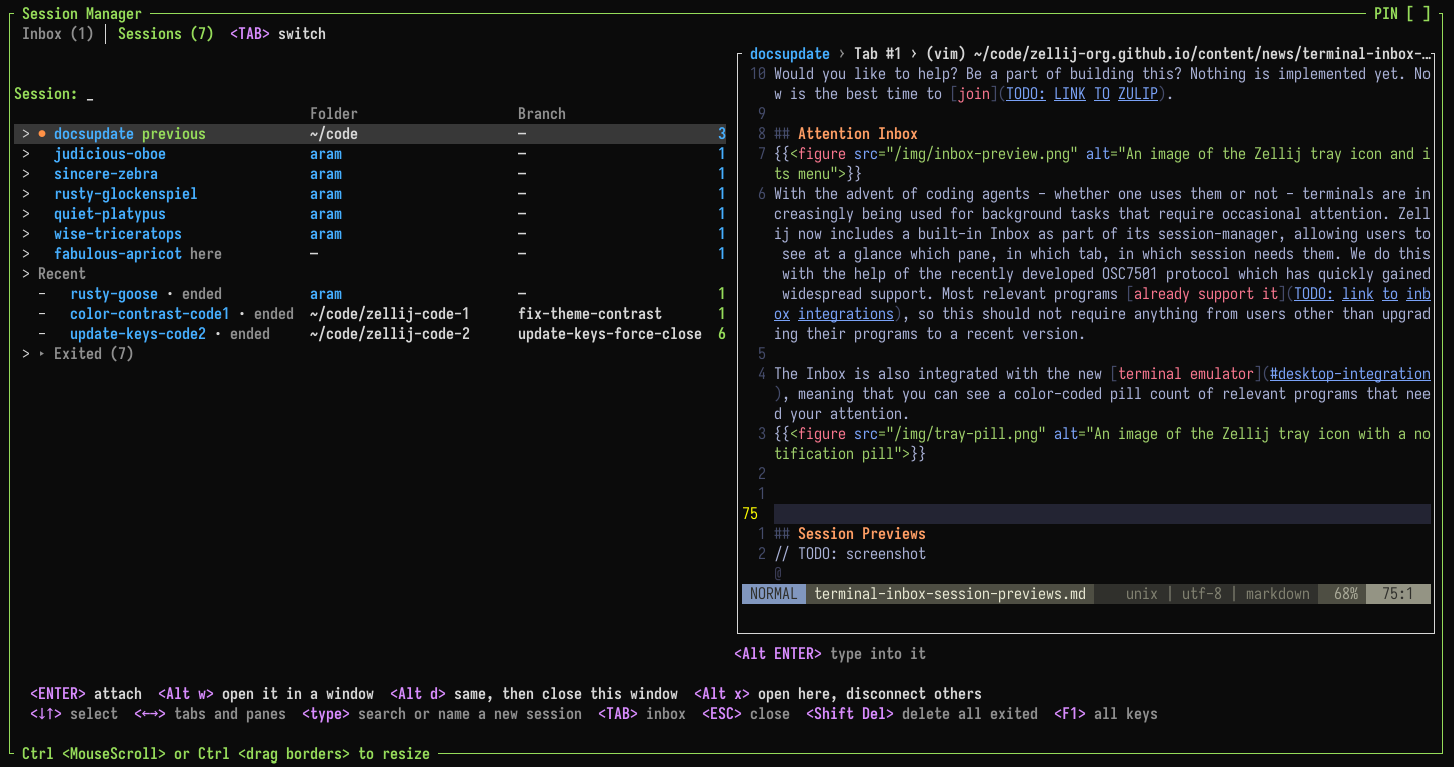
Session Previews
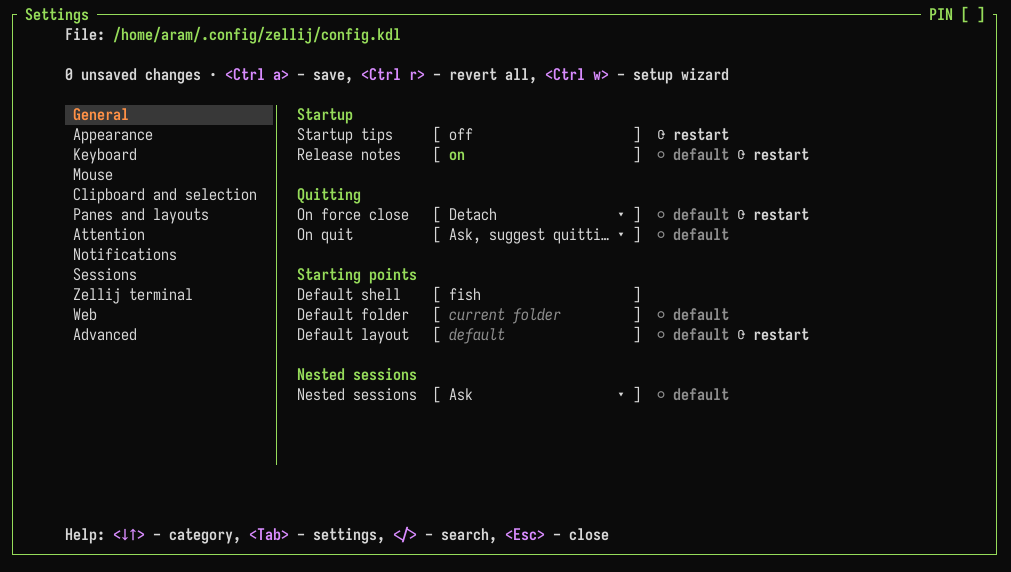
Settings Screen
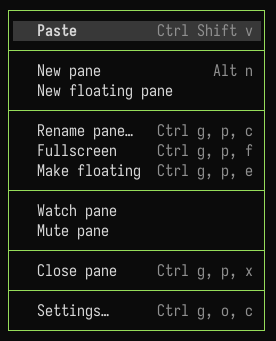
Right-Click Menu and Improved Mouse Handling
Another cool new feature is the ability to create floating panes in specific locations by ctrl+dragging with the mouse.
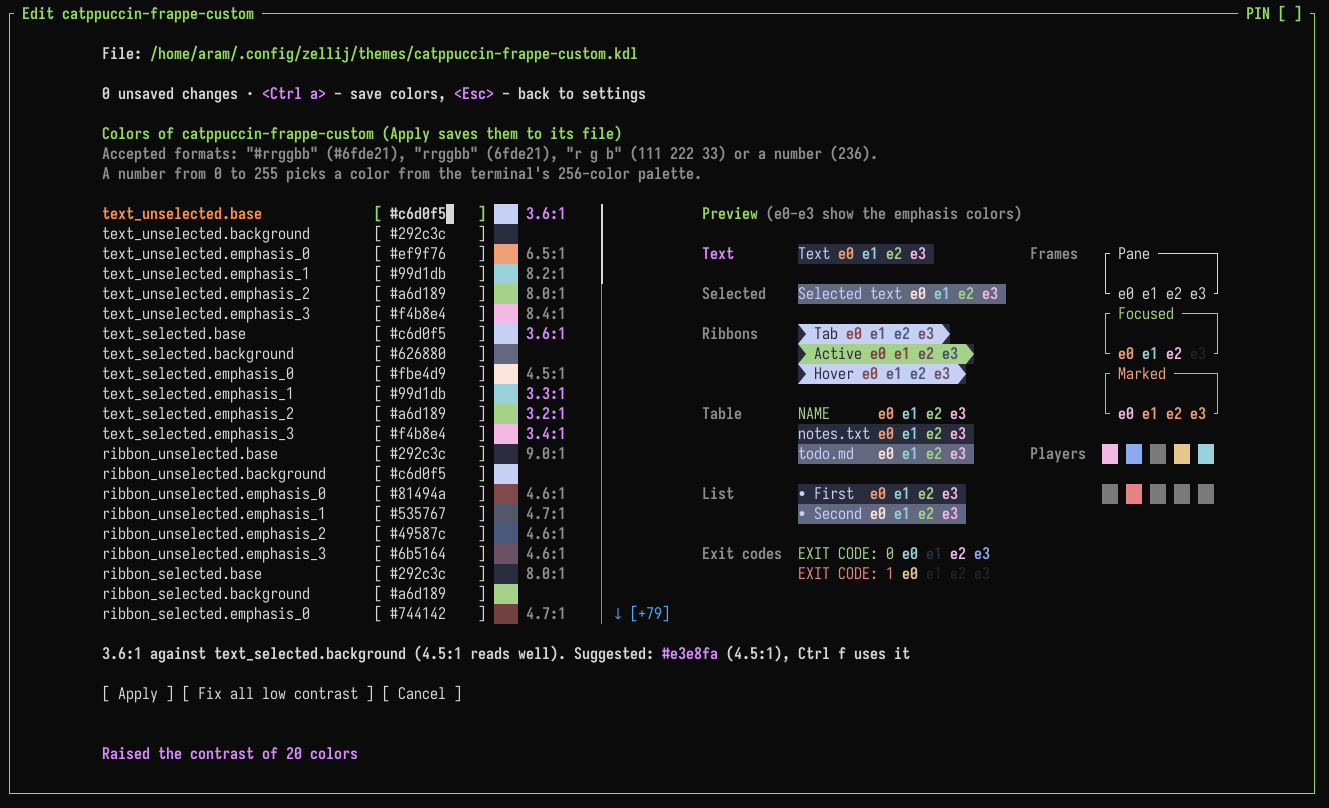
Theme Editor
Distributions (run Zellij as a library)
This version gives Rust developers the ability to run Zellij as a library. Doing this, developers can take advantage of all of Zellij’s features (terminal emulation accessible through a built-in terminal and a web browser, layouts, customizable UI elements with plugins, cross platform availability and distribution) by embedding Zellij in their own application. A process sometimes called “white labelling”. More info.
Horizontal Stacks
A much loved feature of Zellij is stacked panes. It’s now possible to toggle these stacks between horizontal and vertical, to help users who want to navigate across the stack vertically without changing its focus.
Allow (temporarily) Hiding the UI
Many users who love Zellij feel the UI is too intrusive and would like the ability to hide it and only show it when they need a reference. This version allows that functionality. Either through a keybinding (Ctrl p + Shift z) or by choosing the option when right-clicking one of the tabs.
What’s next?
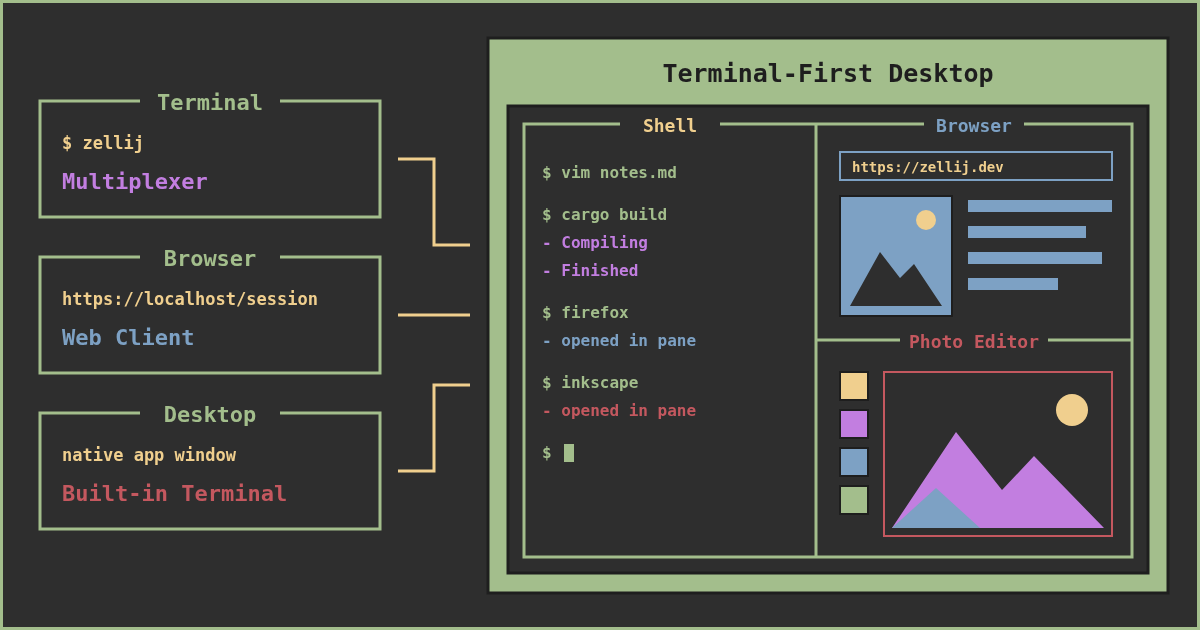
Zellij was never meant to only live in the terminal, and the last year has shown its progression: first into the browser with the web-client, and now into the desktop with the built-in terminal. We’re now building it into something greater: a terminal-first desktop environment. Allowing those who love the terminal to invert the GUI-imposed order. Live in the terminal, run GUI apps such as browsers and photo editors inside your TUI as separate panes and tabs.
The basic functionality of Zellij will not change: it will always be a terminal multiplexer and allow current users to keep their workflows. Additionally, they’ll be able to integrate their GUI needs into them if they so wish.
Would you like to help? Be a part of building this? Nothing is implemented yet. Now is the best time to join.
Please Support the Zellij Developer ❤️
Zellij is a labor of love and is provided free and open-source to anyone who wishes to use it. Zellij will never display ads or collect your data.
In recent months, venture capital supported firms have been moving into this space and using their funding and influence to take it over. Zellij is a community funded project and cannot compete on its own. Now, more than ever, I can use your financial support to help me keep developing this project.
If you are able, please consider a recurring donation to help me pay my bills: https://github.com/sponsors/imsnif